

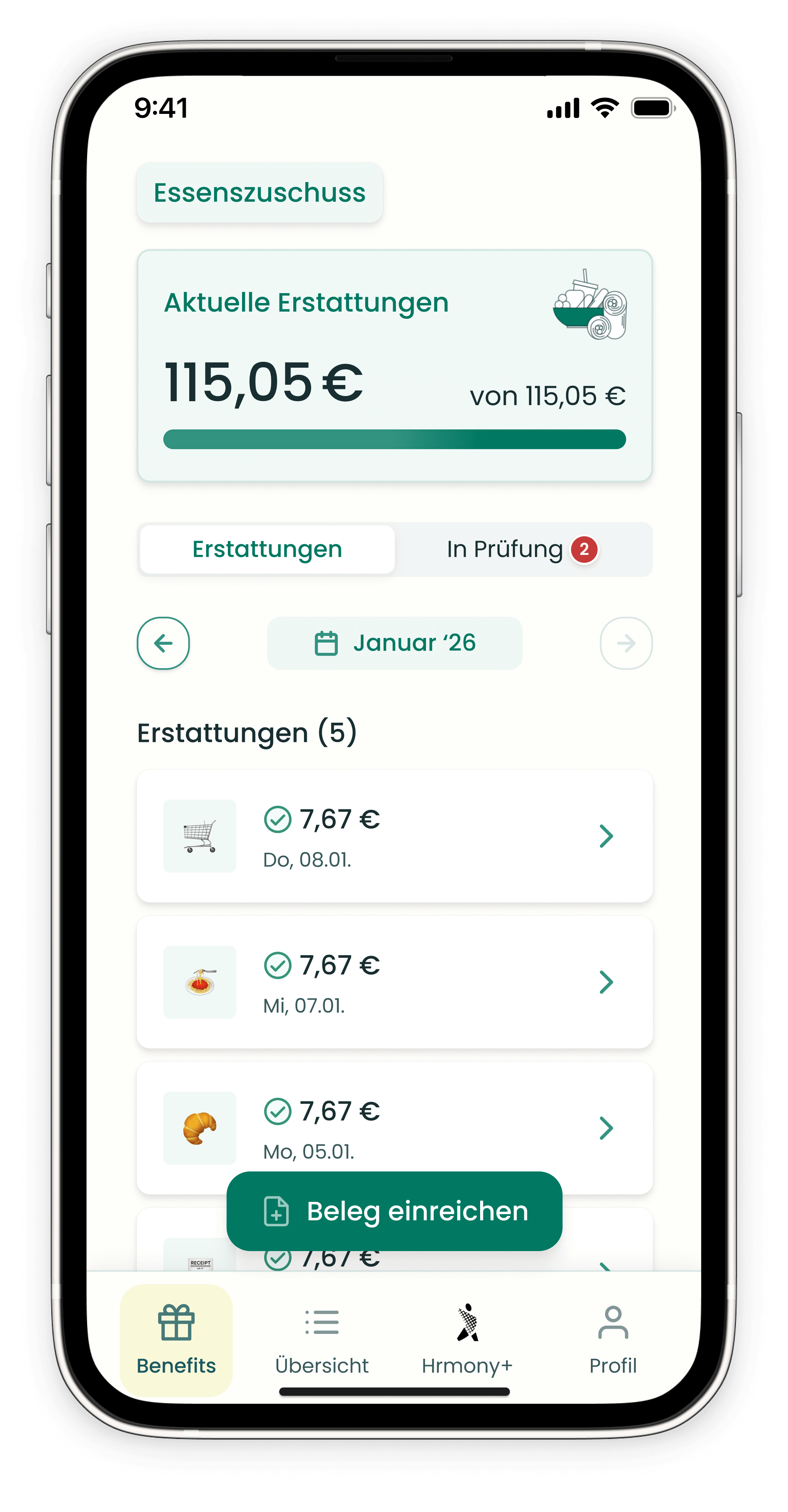
All information about your reimbursement can be found directly in the Hrmony app – clearly laid out at a glance.
Home screen
- Your current reimbursement is displayed directly on the home screen.
- A progress bar shows you how much of your allowance you've already used and how much is still available for the rest of the month.
- Use the arrow next to the month name to view reimbursements from previous months.
Reimbursements
Under "Reimbursements" you'll find all processed receipts in chronological order – including the respective reimbursement amount.
👉 Click on a row and then on the receipt icon to view the corresponding receipt.
Open receipts
Under "In Review" in the bottom navigation bar, you can see all receipts that are currently being processed.
Rejected receipts
Rejected receipts are displayed at the bottom of the home screen under "Rejected Receipts" – including the respective reason for rejection.
Still have questions? Our support team is happy to help – just use the chat in the bottom right corner of this page.